Your First AI Agent: How to Pick the Workflow Worth Automating First
A practical framework for identifying, mapping, and scoring candidate workflows so your first AI agent builds trust instead of burning budget.
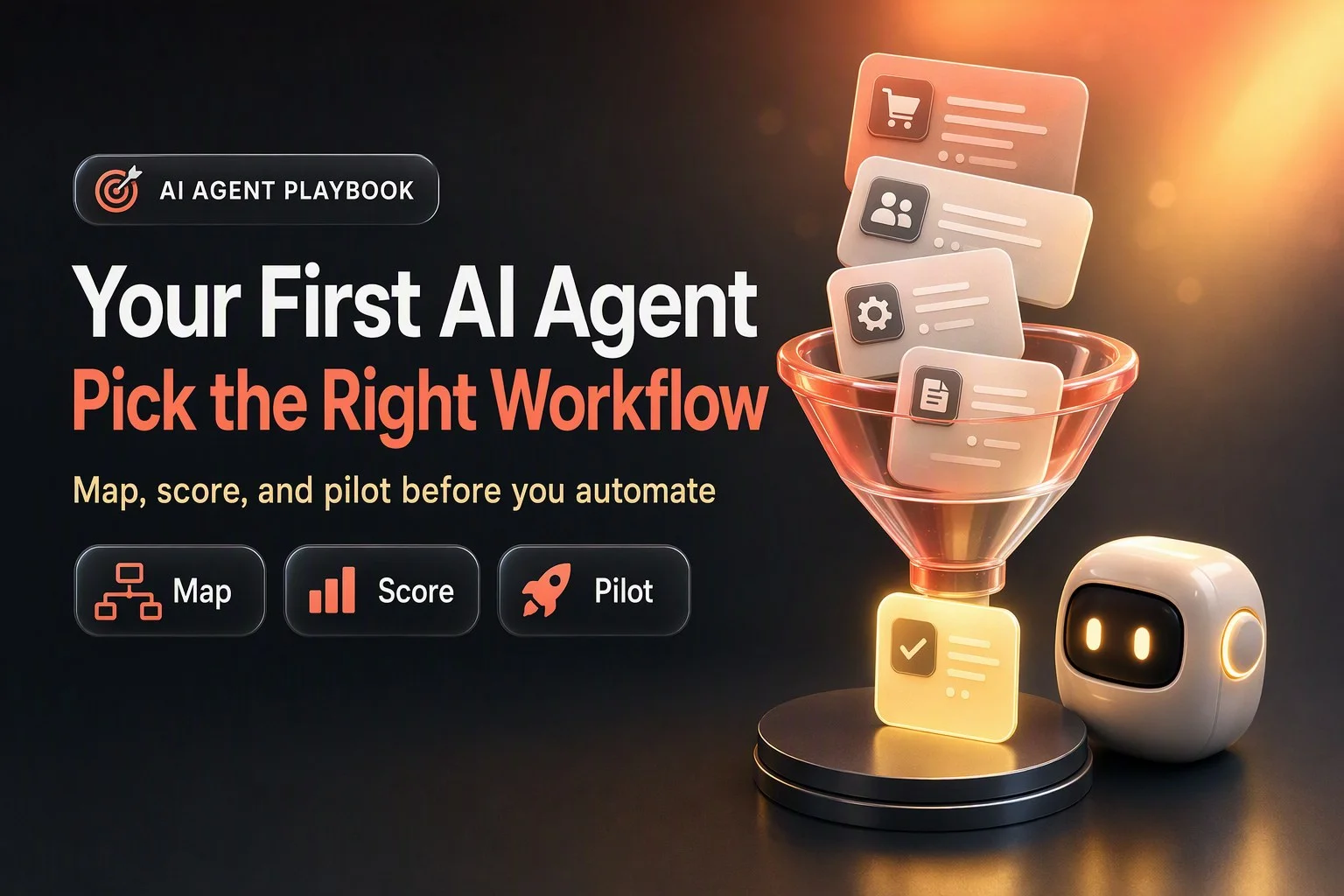
Why Your First Workflow Choice Matters More Than the Model or Platform
Most businesses shopping for their first AI agent start by comparing models, platforms, and feature lists. They ask which vendor has the best accuracy, the lowest latency, the most integrations. Those questions matter eventually, but they are not the first question.
The first question is which workflow you hand the agent.
A bad first pick burns trust and budget. Your team watches the agent struggle with a workflow it was never suited for, stakeholders lose confidence, and the project stalls before you learn anything useful. A good first pick does the opposite. It delivers visible value quickly, teaches your team how to work with agents, surfaces the real integration and data challenges in your environment, and creates a reusable pattern for the next workflow.
The trap most operators fall into is starting with the most impressive or most complex use case. OpenAI's guide to identifying and scaling AI use cases warns that complex use cases can feel impressive but often slow you down. The executive who wants an agent that can negotiate contracts, the sales leader who wants an agent that can run discovery calls, the support manager who wants an agent that can handle every edge case on day one. These workflows might be valuable, but they are terrible first projects. They take months to map, require heavy customization, depend on judgment calls your team has not yet taught the agent to make, and fail in ways that are hard to diagnose.
Your first agent should be boring. It should automate a workflow that happens often enough to generate feedback quickly, has clear success criteria, touches systems you already control, and fails in ways that are easy to catch and fix. It should build momentum, not headlines.
Agent vs. Workflow vs. Plain Automation
Before you score candidates, you need to understand what kind of solution the workflow actually needs. Not every workflow needs an agent. Some need a simpler workflow automation. Some need a deterministic script. Some need a human.
Anthropic's guide to building effective agents draws a useful distinction. Workflows are systems where a large language model and tools are orchestrated through predefined code paths. You write the logic, the code decides what happens next, and the model fills in specific outputs like generating an email or summarizing a document. Agents are systems where the model dynamically directs its own process and tool use. You give it a goal, a set of tools, and instructions, and the model decides which tool to call, in what order, based on what it learns as it goes.
Anthropic's core principle is to find the simplest solution possible and only increase complexity when needed. This might mean not building agentic systems at all. Agentic systems trade latency and cost for better task performance. If a deterministic workflow gets the job done, use that instead.
OpenAI's practical guide to building agents offers three signals that a workflow is a good fit for an agent. First, the workflow requires complex decision-making that is hard to encode in rules. Think refund approval where the agent needs to weigh customer history, order details, policy exceptions, and tone. Second, the workflow has difficult-to-maintain rules. Think vendor security reviews where the criteria change frequently and a rules engine would require constant updates. Third, the workflow relies heavily on unstructured data. Think processing an insurance claim where the agent needs to read emails, parse PDFs, cross-reference policy documents, and extract the relevant facts.
If your workflow does not fit those three signals, a deterministic solution may suffice. A simple decision test: can you write down every possible input, decision, and output in a flowchart that fits on two pages? If yes, you probably do not need an agent. You need a workflow automation tool, a Zapier flow, or a script. If the flowchart explodes into dozens of branches, requires constant updates, or depends on interpreting messy real-world inputs, an agent is worth considering.

Step 1: Build the Candidate List
Start by generating a broad list of candidate workflows. You are not scoring or committing yet. You are just getting everything on the table.
OpenAI's guide recommends looking for opportunities in three areas. First, repetitive low-value tasks. These are the workflows your team completes dozens or hundreds of times a week, where the work is predictable but time-consuming. Data entry, status updates, appointment confirmations, document routing. Second, skill bottlenecks. These are workflows that get stuck waiting for a specialist, a manager, or another team. Legal review of standard contracts, technical triage of support tickets, translation of customer requests into technical specs. Third, navigating ambiguity. These are workflows where the inputs are messy, unstructured, or inconsistent, and a human currently spends time making sense of them before taking action. Qualifying inbound leads from web forms, categorizing customer feedback, extracting action items from meeting notes.
Run a team exercise. Ask each department to list tasks where they struggle to start or get blocked, spend lots of time on manual work, or hit a skills bottleneck waiting on another team. OpenAI calls this the anti-to-do list. The tasks people avoid, delay, or resent. Those are often the best automation candidates.
Here is a hypothetical candidate list for a small professional services firm with a front desk, a sales team, a support team, and a back office:
- Inbound web lead qualification and booking
- Missed call follow-up and callback scheduling
- Post-sale onboarding document collection
- Support ticket triage and routing
- Invoice follow-up and payment reminders
- Meeting notes summary and task extraction
- Contract redlining for standard terms
- Customer feedback categorization and tagging
- Weekly report generation from CRM data
- Vendor onboarding and compliance checklist
Your list will look different depending on your business. The goal is to capture eight to ten workflows that are painful enough to matter and concrete enough to map. Do not filter yet. You will score them in step three.
Step 2: Map the Process Before Scoring
Pick three to five workflows from your candidate list and map them in detail. You cannot score a workflow accurately until you understand how it actually works today, not how you wish it worked or how the process doc says it should work.
For each workflow, document the following:
- Trigger: What starts the workflow? An inbound phone call, a form submission, a calendar event, a Slack message, a daily schedule?
- Inputs: What information does the person handling this workflow need to complete it? Customer name, order number, service type, prior history, policy rules, external data?
- Systems touched: What tools does the person open? CRM, email, scheduling software, knowledge base, spreadsheet, payment processor?
- Decisions: What judgment calls does the person make? How do they decide what to do next? What criteria do they use? What edge cases do they encounter?
- Outputs: What does the workflow produce? A calendar event, a tagged ticket, a sent email, a database record, a document, a handoff to another team?
- Owner: Who is responsible for this workflow today? Who would review the agent's work?
- Exceptions: What breaks the workflow? What inputs or scenarios require a human to step in?
- Frequency: How often does this workflow happen? Daily, weekly, dozens of times a day?
- Current failure modes: Where does the workflow break today? What gets missed, delayed, or done inconsistently?
OpenAI's guide recommends building agent instructions from existing operating procedures, support scripts, and policy documents. If you have SOPs, training guides, or email templates for the workflow, pull them now. If you do not, sit with the person who does the work and watch them complete it three times. You will learn more in an hour of observation than in a week of meetings.
Here is a worked hypothetical map for one workflow: inbound web lead qualification and booking.
Trigger: A prospect submits a contact form on the website asking about services.
Inputs: Prospect name, email, phone, company name, service interest, message text, form submission timestamp, UTM source.
Systems touched: CRM to check if the prospect is already a contact or customer, scheduling tool to check availability, email to send confirmation, knowledge base to answer common questions about services and pricing.
Decisions: Is this a qualified lead or a spam submission? Does the message indicate urgency or a specific service? Is the prospect located in a service area? Does their company size or industry match the ideal customer profile? Should the lead be routed to sales, support, or a specific specialist? What times should be offered for a call?
Outputs: A new CRM contact record with tags and lead score, a sent email with next steps or a booking link, a calendar invite if the prospect books immediately, a task assigned to the sales rep if follow-up is needed.
Owner: Front desk or sales coordinator.
Exceptions: Prospect is an existing customer with an open support issue. Prospect asks about a service the company does not offer. Prospect requests a same-day meeting. Prospect submits a message in a language other than English. Prospect provides incomplete contact information.
Frequency: Twenty to thirty submissions per week.
Current failure modes: Responses are delayed by several hours when the front desk is busy. Qualification is inconsistent, some low-fit leads get routed to sales. Booking links are sometimes sent without checking specialist availability, leading to reschedules. Spam submissions are not filtered out, wasting sales time.
This level of detail takes thirty to sixty minutes per workflow. It feels slow, but it is the only way to score accurately and avoid surprises during the build.

Step 3: Score the Candidates
Now that you have mapped your top candidates, score them to identify the best first workflow. Start with the high-level Impact/Effort framework from OpenAI, then apply a more detailed scorecard.
The Impact/Effort framework sorts use cases into four quadrants. Quick wins are high impact and low effort. These are the workflows that deliver visible value fast and are often the best place to start building momentum. Self-service workflows are the lowest-effort projects a single user might spin up for themselves as a personal assistant on a given task, which often start as individual solutions and can become valuable across teams. High-value, high-effort workflows are transformational but need more planning, resources, and time. High-effort, low-impact workflows should be set aside for now and revisited later. OpenAI recommends re-evaluating your scoring each quarter as high-effort use cases may become low-effort as AI capabilities advance.
For a more granular view, use a detailed scorecard. This is a SumoGrowth recommendation, not a framework from OpenAI or Anthropic. Score each workflow on a scale of one to five across the following dimensions:
Volume and frequency: How often does this workflow happen? Higher frequency means faster feedback loops and more value per hour of setup effort. Score five for daily or multiple times per day, score one for monthly or less.
Pain and cost of the status quo: How much does the current process hurt? Consider time spent, error rate, delays, customer complaints, and employee frustration. Score five for workflows that cause daily pain or measurable customer impact, score one for minor inconveniences.
Clarity of success criteria: Can you define good and bad outcomes in plain language? Can you measure them? Score five for workflows with objective pass or fail criteria, score one for workflows where success is subjective or requires deep expertise to judge.
Data and system access: Do you control the systems and data the agent needs? Can you read and write via API or integration? Score five for workflows contained in systems you own with documented APIs, score one for workflows that depend on third-party systems with no API access or require manual data entry.
Unstructured input and judgment need: Does the workflow require interpreting messy real-world inputs or making judgment calls? This is a measure of agent fit, not difficulty. Score five for workflows with high ambiguity that suit an agent, score one for workflows that are purely deterministic and could be handled by a simple script.
Reversibility and risk: What happens if the agent makes a mistake? Can you undo it, or is the damage permanent? Score five for read-only or easily reversible actions, score one for irreversible actions with financial, legal, or safety consequences.
Exception rate: How often does the workflow encounter an edge case or scenario that requires a human? Score five for workflows where exceptions are rare and well-defined, score one for workflows where every other case is an exception.
Owner availability: Is there a clear owner who can review the agent's work, provide feedback, and iterate on instructions? Score five for workflows with a dedicated owner who has time to supervise, score one for workflows with no clear owner or an owner who is too busy to engage.
Measurability: Can you baseline the current process and track improvement? Do you have logs, timestamps, or records of how the workflow performs today? Score five for workflows with existing metrics or easy-to-capture data, score one for workflows with no visibility into current performance.
Add up the scores. The workflow with the highest total is your leading candidate. Ties go to the workflow with the highest frequency, because faster feedback loops accelerate learning.
Here is a worked scoring of three hypothetical candidates from the earlier list:
Candidate A: Inbound web lead qualification and booking. Volume and frequency: five, happens daily. Pain and cost: four, delays hurt conversion and frustrate prospects. Clarity of success: four, clear criteria for qualified leads and booking completion. Data and system access: five, CRM and scheduling tool have APIs. Unstructured input and judgment: four, requires interpreting message intent and fit. Reversibility and risk: five, mistakes are low-stakes and reversible. Exception rate: four, most leads follow predictable patterns. Owner availability: five, sales coordinator is engaged and available. Measurability: five, can track response time, booking rate, and lead quality. Total: forty-one.
Candidate B: Contract redlining for standard terms. Volume and frequency: two, happens a few times per month. Pain and cost: three, delays are annoying but not critical. Clarity of success: three, requires legal judgment to validate. Data and system access: two, contracts arrive as PDFs via email, no structured system. Unstructured input and judgment: five, high ambiguity, good agent fit. Reversibility and risk: two, errors could create legal exposure. Exception rate: three, many contracts have non-standard terms. Owner availability: two, legal counsel is busy and hard to schedule. Measurability: three, can track turnaround time but hard to measure quality. Total: twenty-five.
Candidate C: Invoice follow-up and payment reminders. Volume and frequency: four, happens weekly. Pain and cost: four, late payments hurt cash flow. Clarity of success: five, clear criteria for when to send reminders and what to say. Data and system access: four, accounting software has API but may need custom integration. Unstructured input and judgment: two, mostly deterministic, could be a simple workflow. Reversibility and risk: four, low risk but tone matters for customer relationships. Exception rate: five, exceptions are rare and well-defined. Owner availability: four, accounting manager is available. Measurability: five, can track days to payment and reminder effectiveness. Total: thirty-seven.
Candidate A wins. It scores highest overall, happens frequently enough to generate fast feedback, has a clear owner, and fits the agent use case well. Candidate C is a strong second choice but may not need an agent at all, just a deterministic workflow. Candidate B is a bad first pick despite high ambiguity, because of low frequency, high risk, limited owner availability, and poor system access.
Step 4: Risk Screen
Before you commit to a first workflow, run a lightweight risk screen. You are not trying to achieve compliance or build a formal risk management program. You are trying to catch disqualifying red flags that would make this workflow a bad first pick.
Use the NIST AI Risk Management Framework as a lens. NIST AI RMF is a voluntary framework released in January 2023 to help organizations manage AI risks to individuals, organizations, and society, and incorporate trustworthiness into the design, development, use, and evaluation of AI systems. The framework defines four core functions: Govern, Map, Measure, and Manage. For a first workflow risk screen, focus on Map, which means establishing context and identifying risks for the specific use case.
Start by classifying the actions the agent would take. OpenAI's guide to building agents recommends rating tools as low, medium, or high risk based on whether they read or write data, whether actions are reversible, what permissions are required, and what financial impact a mistake could have. Adapt that into three categories:
Read-only actions: The agent retrieves information, summarizes content, answers questions, or generates drafts for human review. Mistakes are low-stakes. Examples: pulling customer history from a CRM, summarizing a support ticket, drafting an email for approval.
Reversible write actions: The agent creates, updates, or sends something, but the action can be undone or corrected without major consequences. Examples: creating a calendar event that can be rescheduled, sending a confirmation email to a customer, tagging a CRM record.
Irreversible or high-stakes actions: The agent takes an action that cannot be easily undone, involves significant money, affects legal or medical outcomes, or could cause harm if wrong. Examples: processing a refund, signing a contract, making a clinical recommendation, posting to a public social media account.
For your first workflow, stay in the read-only and reversible write categories. Avoid irreversible and high-stakes actions until you have built confidence, established monitoring, and learned how your agents fail.
Here are red flags that disqualify a workflow as a first pick:
- The workflow requires legal, medical, or financial judgment where errors could cause harm or liability.
- The workflow involves irreversible money movement, such as processing payments, issuing refunds, or transferring funds.
- The workflow has no clear owner who can review the agent's work and provide feedback.
- The workflow depends on data or systems you do not have access to, or where access requires months of compliance or vendor negotiation.
- The workflow is rare and high-stakes, meaning you will not get enough feedback to improve the agent before a critical failure happens.
- The workflow requires the agent to make decisions that your team cannot explain or defend if challenged by a customer, regulator, or partner.
If your leading candidate from step three hits any of these red flags, move to your second choice. You can come back to the high-risk workflow later, after you have proven the pattern with a safer use case.
Step 5: Scope the Pilot
You have chosen your first workflow. Now scope the pilot tightly. One workflow, one channel, one owner, and a narrow slice of the full use case. Do not try to automate every edge case or variation on day one. Start with the most common, most predictable scenario and expand from there.
Write a one-page agent brief. This is the document that guides the build and keeps scope from creeping. Include the following sections:
Purpose: What is the agent trying to accomplish? State it in one sentence. Example: qualify inbound web leads and book discovery calls with qualified prospects.
Scope: What specific scenarios will the agent handle in this pilot? Be narrow. Example: web form submissions from the contact page, during business hours, for prospects in the United States asking about core services.
Audience: Who will the agent interact with? What do they expect? Example: prospects who submitted a contact form and expect a response within a few hours.
Tools needed: What systems, APIs, or data sources does the agent need access to? Example: CRM API for contact lookup and creation, scheduling tool API for availability and booking, knowledge base for service descriptions, email sending capability.
Data sources: What information will the agent use to make decisions? Example: CRM contact history, form submission data, ideal customer profile criteria, service area list, specialist availability calendar.
Out-of-scope list: What will the agent not do, at least not in this pilot? Be explicit. Example: the agent will not handle existing customers, will not respond to requests outside business hours, will not answer pricing questions that require custom quotes, will not book same-day meetings.
Success criteria: How will you know the pilot worked? Pick two to four measurable outcomes. Hypothetical examples to tune: response time under two hours, a booking rate you agree on with the owner after baselining, escalations stay within the range you set after week one, no more than a handful of complaints in a week.
Stop conditions: What would cause you to pause or kill the pilot? Hypothetical examples to tune: more than a handful of complaints in a week, escalation rate stays high for two consecutive weeks, any data breach or system access issue.
OpenAI's practical guide notes customers typically achieve greater success with an incremental approach, and recommends maximizing a single agent's capabilities before moving to multiple agents. Start with one agent for one workflow. Do not architect a multi-agent orchestration layer on day one.
Plan for human intervention. OpenAI's tool safeguards and agent design guidance recommend human intervention triggers for exceeding failure thresholds and high-risk actions. Define what those thresholds are. Example: if the agent cannot determine lead qualification with confidence, escalate to the sales coordinator. If the prospect requests a service outside the core list, escalate. If the scheduling tool returns an error, escalate.
You will also need to plan escalation paths and handoff design. That topic is covered in detail in the SumoGrowth post on designing human escalation, so we will not repeat it here. The short version is to define who gets escalated cases, how they are notified, what context the agent provides, and how the human hands back to the agent if needed.
Map out a rollout path. Do not go from zero to full autonomy in one step. A typical path has three phases:
Phase one, draft and suggest mode: The agent processes inputs and generates outputs, but a human reviews and approves every action before it goes out. This phase teaches you what the agent gets right, what it gets wrong, and what instructions need refinement. Run this phase for at least a few dozen interactions or two weeks, whichever comes first.
Phase two, supervised autonomy: The agent takes actions automatically for routine cases that meet confidence thresholds, but a human spot-checks a sample and reviews escalations daily. This phase builds confidence and surfaces edge cases you missed in phase one. Run this phase for at least two to four weeks.
Phase three, limited autonomy: The agent runs independently within the defined scope, and the human reviews only escalations and a small random sample for quality assurance. You are still monitoring closely, but you are no longer in the loop for every interaction.
Do not skip phase one. The temptation is to go straight to autonomy because the agent looks good in testing. Real-world inputs will surprise you. Give yourself time to learn before you let go of the controls.
Step 6: Define Success and the Go/No-Go Decision
Before you launch the pilot, baseline the current process. You cannot measure improvement if you do not know where you started. Capture metrics for the two weeks before the agent goes live.
Pick a few operational metrics that matter for this workflow. Do not try to measure everything. Focus on the metrics that tell you whether the agent is doing the job and whether the business is better off. Examples:
- Completion rate: How many in-scope requests does the agent handle end-to-end without escalation?
- Escalation reasons: Why is the agent escalating? Are the reasons predictable and appropriate, or is the agent escalating cases it should handle?
- Rework rate: How often does a human need to redo or correct the agent's work?
- Customer complaints: Are customers complaining about agent interactions, tone, accuracy, or speed?
- Owner time spent reviewing: How much time is the workflow owner spending supervising the agent compared to doing the work manually?
Set a review cadence. Weekly reviews for the first month, then biweekly once the agent stabilizes. In each review, look at the metrics, read a sample of agent interactions, and talk to the owner. Ask three questions: What is working? What is breaking? What instruction or tool changes would improve performance?
Define your go, fix, or no-go criteria. After the pilot period, you will make one of three decisions:
Go: The agent is meeting success criteria, escalations are manageable, the owner is confident, and the business is seeing value. Expand the scope to handle more scenarios, more channels, or higher volume. Plan the next workflow.
Fix: The agent is showing promise but has specific gaps. Escalation rate is higher than target, certain edge cases are failing, instructions need refinement, or a tool integration is unreliable. Pause expansion, fix the issues, and run another evaluation cycle.
No-go: The agent is not meeting success criteria, the workflow is not a good fit, the owner has lost confidence, or the cost and effort are not justified by the results. Kill the pilot, document what you learned, and move to a different workflow.
Most pilots land in the fix category after the first cycle. That is normal. The goal of the pilot is to learn, not to ship a perfect agent on day one. If you are learning fast and iterating, you are succeeding even if the metrics are not perfect yet.
Good First Workflows vs. Bad First Workflows
Some workflows are consistently strong first picks. Others are consistently weak. Here is general guidance based on the criteria we have covered.
Commonly strong first workflows:
- Inbound lead qualification and response: High volume, clear criteria, reversible actions, fast feedback, and immediate business impact.
- Appointment scheduling and reminders: Predictable logic, low risk, integrates with calendar tools, reduces no-shows.
- Support ticket triage and routing: High frequency, well-defined categories, reduces bottlenecks, improves response time.
- Post-sale onboarding task management: Clear checklist, known steps, easy to measure completion, reduces manual follow-up.
- Meeting notes summary and action item extraction: High value, low risk, unstructured input suits an agent, easy to validate output.
- Customer feedback categorization and tagging: Repetitive, time-consuming, benefits from natural language understanding, improves reporting.
Commonly weak first workflows:
- Contract negotiation or legal review: High stakes, requires expert judgment, low frequency, hard to validate, significant liability risk.
- Custom pricing and quoting: Complex decision-making, often requires human negotiation, mistakes are costly, low volume.
- Handling escalated or angry customers: High emotional stakes, requires empathy and judgment, failure damages relationships, hard to train.
- Processing refunds or financial transactions: Irreversible, high financial impact, regulatory considerations, trust is fragile.
- Anything involving protected health information or medical advice: Legal and ethical constraints, high liability, specialized compliance requirements.
- Workflows that depend on systems you do not control: No API access, requires manual data entry, integration is blocked by vendor or compliance.
The pattern is clear. Good first workflows are high-frequency, low-risk, measurable, and contained within systems you control. Bad first workflows are low-frequency, high-stakes, hard to measure, or depend on access you do not have. Pick boring and predictable over impressive and complex.
Where CRM-Based Agents Fit
If your first workflow lives primarily in a CRM, building it in GoHighLevel with Managed Agents can simplify the build. Managed Agents run in the same CRM environment, so they can be triggered by CRM events like contact creation, opportunity changes, or form submissions, and they can update records and trigger workflows without leaving the platform.
Printable First-Workflow Selection Checklist
Use this checklist to evaluate and compare candidate workflows. Print it, score your top three candidates, and pick the one with the highest total score that passes the risk screen.
- Volume and frequency: Does this workflow happen daily or multiple times per day?
- Pain and cost: Does the current process cause daily frustration, delays, errors, or customer complaints?
- Clarity of success: Can you define good and bad outcomes in plain language and measure them?
- Data and system access: Do you control the systems and data the agent needs, with API or integration access?
- Unstructured input and judgment: Does the workflow require interpreting messy inputs or making judgment calls that suit an agent?
- Reversibility and risk: Are the agent's actions reversible or low-stakes if wrong?
- Exception rate: Are exceptions rare and well-defined, or does every other case require a human?
- Owner availability: Is there a clear owner who can supervise the agent, provide feedback, and iterate?
- Measurability: Can you baseline the current process and track improvement with logs or metrics?
- Risk screen pass: Does the workflow avoid legal, medical, or financial judgment, irreversible money movement, and high-stakes rare events?
If a workflow scores well across all ten dimensions and passes the risk screen, it is a strong first pick. If it fails on owner availability, system access, or the risk screen, move to the next candidate.
Common Mistakes and How to Fix Them
Even with a solid selection process, teams make predictable mistakes when choosing and scoping their first AI agent workflow. Here are the most common and how to avoid them.
Mistake one: Picking a workflow because it is impressive, not because it is a good first project. The CEO wants an agent that can run sales calls. The marketing team wants an agent that can write entire campaigns. These workflows might be valuable eventually, but they are terrible learning projects. Fix: Choose boring and high-frequency over impressive and rare. You can tackle the ambitious workflows after you have proven the pattern.
Mistake two: Skipping the process mapping step and jumping straight to scoring. You think you understand the workflow because you have done it before, but when you start building the agent you discover hidden dependencies, missing data, and edge cases no one mentioned. Fix: Spend the hour to map the workflow in detail before you score it. Sit with the person who does the work and watch them complete it three times.
Mistake three: Scoring workflows in a vacuum without input from the people who do the work. Leadership picks a workflow that looks good on paper, but the team knows it is a bad fit because of system limitations, data quality issues, or exception rates that are not visible from the outside. Fix: Involve the workflow owner in the mapping and scoring process. They know where the bodies are buried.
Mistake four: Trying to automate every edge case and variation in the first pilot. You want the agent to handle every possible scenario so you do not have to come back and expand it later. The scope explodes, the build takes months, and you never launch. Fix: Start with the most common, most predictable scenario. Handle the most common case well before you try to handle every case.
Mistake five: Going straight to full autonomy without a supervised phase. The agent looks great in testing, so you turn it loose on real customers. It fails in a way you did not anticipate, and you lose trust. Fix: Run a draft-and-suggest phase where a human reviews every action before it goes out. You will learn fast and catch problems before they reach customers.
Mistake six: Not defining stop conditions or go/no-go criteria before the pilot starts. You launch the agent, it underperforms, but no one wants to admit it is not working because there is no agreed definition of failure. The pilot drags on, burning budget and trust. Fix: Write down your success criteria and stop conditions in the agent brief before you build anything. Make the go/no-go decision explicit and scheduled.
Mistake seven: Picking a workflow with no clear owner or an owner who is too busy to engage. The agent needs feedback, instruction refinement, and escalation handling, but no one has time. The pilot stalls. Fix: Confirm owner availability before you commit to a workflow. If the owner cannot dedicate a few hours per week during the pilot, pick a different workflow.
Mistake eight: Ignoring the risk screen because the workflow scores well on impact and effort. You automate something that involves irreversible actions, financial transactions, or high-stakes judgment, and a mistake causes real harm. Fix: Treat the risk screen as a hard gate. If a workflow fails the risk screen, it is disqualified as a first pick no matter how high it scores on other dimensions.
How SumoGrowth Labs Helps
Choosing your first AI agent workflow is part strategy and part operational discipline. You need to inventory candidates, map processes, score options, screen for risk, scope tightly, and define success before you write a single line of code or configure a single integration. Most businesses do not have a repeatable process for this, and they waste weeks exploring workflows that were never going to work.
SumoGrowth Labs runs workflow discovery sessions to generate your candidate list, map your top workflows in detail, and score them using the framework in this post. We help you write the one-page agent brief, define success criteria and stop conditions, and plan the rollout path from draft mode to supervised autonomy. Then we build and deploy the pilot, monitor it with you, and iterate on instructions and tools until it meets your go criteria.
If you are ready to deploy your first agent and want to pick the right workflow, not just the obvious one, we can help you get it right the first time.
by Darius Gaynor