Local AEO for Service Businesses: Show Up in AI 'Near Me' Answers
Make your local service business visible when people ask ChatGPT, Perplexity, or Gemini for a plumber, dentist, or HVAC tech near them.
When someone in Brandon asks ChatGPT for a dentist open on Saturday, or asks Perplexity for the best plumber near them, your business either shows up or it does not. That recommendation happens in seconds. If your facts are incomplete, inconsistent, or missing from the places AI tools pull local answers, you are easy to skip or get wrong.
This guide walks through the practical work that makes a local service business visible to AI search tools. It covers Google Business Profile completeness and accuracy, reviews and review responses, Bing Places and Apple Business, NAP consistency across directories, your website as the local source of truth, and the questions people actually ask. The goal is simple: make your business facts complete, accurate, and consistent everywhere a local answer might be built, and earn genuine reviews that describe your work in your customers' words.
We have covered getting cited by AI answers in general terms elsewhere. This post is specifically about local visibility for service businesses: HVAC, plumbing, roofing, cleaning, dental and medical practices, salons and med spas, law and accounting offices, auto repair, and similar businesses where proximity, hours, and reputation matter.
How a Near Me Question Gets Answered by an AI Tool
When someone asks an AI tool for a local service, the tool needs to work out where the person is, what they are looking for, and which businesses match. The exact process varies by tool, and none of the major platforms publish a complete explanation of how they choose which local businesses to recommend. What we do know, from OpenAI's help page on ChatGPT search, is that ChatGPT search sometimes partners with other search providers, rewrites the user's query into more targeted search queries, collects an approximate location from the user's IP address, and may share that general location with providers that help with things like nearby business listings. If the user has enabled device location sharing, the tool can use precise location for nearby results. The response may include citations, and on mobile devices relevant results may include a map.
The help page also makes clear that search results and citations can be incomplete, outdated, or incorrect, and that placement is not guaranteed. ChatGPT ranks results using multiple factors intended to help users find relevant, reliable information. To be eligible for inclusion, your website must allow the OAI-SearchBot crawler and ensure your host or CDN allows OpenAI's published searchbot IP addresses.
Other AI tools, including Perplexity and Gemini, do not publish detailed explanations of their local recommendation process. The practical takeaway is that these tools pull from search results, business listings, websites, directories, and reviews, then summarize and cite results. Because the exact sources and ranking are not published, and because results can be wrong or outdated, your business facts need to be everywhere and consistent. If your Google Business Profile says you are open until six but your website says five, or your Bing listing has an old phone number, the AI tool may pick the wrong fact or skip you entirely.
Why Google's Local Fundamentals Still Matter
Google's published local ranking guidance is a useful, official foundation for local visibility work. According to Google's tips to improve your local ranking, local results are mainly based on three factors: relevance, distance, and prominence.
Relevance is how well your business profile matches what someone is searching for. If your profile is complete and detailed, with accurate categories, services, hours, and attributes, Google is more likely to match you to the right queries. Distance is how far your business is from the person searching. If the searcher shares their location, Google uses it. If not, Google uses what it knows about where they are. You cannot control distance, but you can control how accurately your address or service area is represented.
Prominence is how well-known your business is, based on information Google finds across the web. This includes links to your business, the number and quality of reviews, and other signals of reputation. More reviews and positive ratings can help your local ranking. Google is explicit that there is no way to request or pay for a better local ranking, and the algorithm details are confidential.
Distance is mostly out of your control. A Brandon plumber should not expect to appear for every near me search across Tampa. The work goes into relevance and prominence. Relevance means your profile and website clearly describe what you do, where you serve, and when you are available. Prominence means earning genuine reviews, getting mentioned on reputable sites, and building a consistent presence across the web.
The Google Business Profile Completeness and Accuracy Pass
Your Google Business Profile is the profile shown in Google Maps and Search local results and the natural starting point for local visibility. A complete and accurate profile is not optional.
Verification
Verify your business. Verification tells Google you are authorized to manage the profile, and verified businesses are more likely to show up in search results. Google offers verification options that depend on the business, and you should follow the steps it shows.
Business Name
Use your real-world business name, exactly as it appears on your signage, stationery, and branding. Do not add keywords, taglines, service descriptions, or location information to the name. A profile named "Brandon Plumbing" is fine if that is your real business name. A profile named "Brandon Plumbing | 24/7 Emergency Repairs | Licensed & Insured" could get the profile suspended. Google's guidelines say unnecessary information in the name is not permitted and could result in suspension.
Categories
Choose the fewest, most specific categories that describe your core business. The rule is "This business is a" not "This business has a." A plumbing company should choose Plumber as the primary category, and might add Emergency plumber or Water heater repair service as secondary categories if those are significant parts of the business. Do not add categories as keywords. If you are a plumber, do not add HVAC contractor unless you actually provide HVAC services with the necessary licenses and staff.
Google can also detect category information from your website and from mentions of your business across the web, so consistency matters. The primary category is the most important and should be the single best fit. Secondary categories should be used sparingly, only for services that are genuinely central to what you do.
Address and Service Area
If customers visit your location, provide your full street address. If you work from home and customers do not visit, hide your address and add a service area instead. If you have a storefront and also travel to customers, you can show your address and add a service area. This is called a hybrid business.
Service areas should not extend farther than about two hours of driving time from your base. Some businesses may serve a larger area, but the guideline is roughly two hours. If you serve multiple cities or counties, add them as service areas rather than creating fake locations. P.O. boxes and mailboxes at remote locations are not acceptable. A rented virtual office you do not operate from is not eligible. A co-working office is allowed only with clear signage, staffed during business hours, and receiving customers there.
If you operate multiple real locations with separate staff and service areas, each location can have its own profile. A two-truck HVAC company operating from the owner's home should have one profile with a hidden address and a service area. A dental practice with offices in Brandon and Valrico should have two profiles, one for each address.
Phone Number
Use a phone number that connects to your individual business location. Use a local number instead of a central call center helpline when possible. The number must be under the business's direct control. Do not use numbers or URLs that redirect or refer users to landing pages or numbers other than the actual business's. If you use call tracking for marketing attribution, check the guidelines before putting a tracking number on the profile, and consider using a different number on your website and ads while keeping your real business number on your Google Business Profile.
Hours
Provide your regular customer-facing hours. If you are open by appointment only, do not provide hours. If you offer emergency service, you can add more hours for specific services. More hours are a way to show hours for specific services, as a subset of primary hours. Set special hours ahead of holidays and double-check the dates. Businesses with complete and accurate information are more likely to show up in local results.
Attributes
Add attributes that describe your business, such as wheelchair accessibility, free Wi-Fi, parking options, or appointment requirements. These help Google match your profile to specific queries and give potential customers useful information before they contact you.
Business Description
Write a business description that covers your services, products, mission, and history. Do not include promotional language, prices, or links. The description should be factual and informative. Picture a two-truck HVAC company in Brandon. A good description might read: "Family-owned HVAC company serving Brandon and surrounding areas since 2015. We install, repair, and maintain residential and commercial heating and cooling systems. Our technicians are licensed and insured, and we offer emergency service seven days a week." Note that licensing, insurance, and founding year should only be stated if true, as this is a hypothetical example.
Services List
Add a complete list of the services you actually provide. This is not a place to stuff keywords, but it is a place to be specific. A plumber might list drain cleaning, water heater installation, leak repair, sewer line inspection, and fixture installation. Each service can have a brief description. Keep the descriptions factual and focused on what the customer gets.
Photos and Videos
Add photos of your business, your team, your work, and your location if customers visit. Photos should be recent, well-lit, and representative of what customers will see. Videos can show your team at work or explain a process. Photos and videos show customers what you offer and tell the story of your business.
Keeping It Current
Set a reminder to review your Google Business Profile at least once a month. Check that your hours are correct, your phone number works, your service list is up to date, and your photos are recent. If you add a new service, update the profile the same day. If you change your hours for a holiday, do it a week in advance.

Reviews and Review Responses
Google lists the number of reviews and positive ratings as part of prominence. The words in reviews describe your services in the language your customers use, which is useful to anyone, or any tool, reading about your business. A plumber with fifty reviews that mention "emergency," "leak," "fast," and "fair price" is building a record of what that business does and how customers talk about it. Reviews are not just reputation management. They are content.
Earning Genuine Reviews
Google's policy is strict: reviews must reflect genuine experience. Offering incentives like free or discounted goods or services in exchange for posting, changing, or removing reviews is fake and misleading content and strictly prohibited. You can and should ask for reviews, but you cannot pay for them or reward them.
The best time to ask is right after you complete a job and the customer is satisfied. For a service business, this might be at the end of the appointment, in a follow-up text or email the same day, or in a thank-you message a day or two later. Make it easy by including a direct link to your Google review page or a QR code that opens the review form on a phone.
A simple review request routine for a service business might look like this: At the end of the job, the technician or provider thanks the customer and mentions that reviews help the business. That evening, the office sends a text or email with a thank-you message and a link to leave a review. If the customer does not leave a review within a week, a second message goes out with the same link and a brief note that their feedback is appreciated. Stop there. Do not pester.
Some businesses use a CRM to automate this process. If you want review requests and missed-call follow-up running from one CRM, Sumo AI CRM, which includes an AI receptionist, is positioned as the best GoHighLevel alternative. If you use a different CRM, set up a similar workflow. The key is consistency and timing.
Replying to Reviews
Reply to reviews. Value all reviews. Avoid sending the same thank-you to everyone. Focus on replies where you can share a helpful update or answer a question. Replies show that you value feedback and are engaged with your customers. They also give you a chance to add context, correct misunderstandings, and demonstrate professionalism.
For positive reviews, keep replies short, specific, and conversational. Mention something specific from the review. If a customer says your plumber fixed their leak quickly and explained the problem clearly, reply with something like: "We're glad we could get your leak fixed fast. Our team always takes the time to explain what we find so you know exactly what's going on. Thanks for trusting us with your plumbing." No promotional language, no offers, no links.
For negative reviews, protect the customer's privacy, be honest, apologize when appropriate, and personalize your response. If a customer complains that a technician was late, reply with something like: "We're sorry we didn't meet your expectations on timing. We know your time is valuable, and we should have communicated better about the delay. Please reach out to us directly so we can make this right." Give a phone number or email and take the conversation offline. Do not argue, do not make excuses, and do not get defensive. If the review violates Google's policy, flag it, but do not count on it being removed.
The words in reviews describe your services in the way customers talk about them. If ten reviews mention "emergency plumbing" and five mention "water heater," those phrases describe what you do in practical terms. You cannot control what customers write, but you can earn reviews by doing good work and asking at the right time. The reviews themselves become part of your local content footprint.
NAP Consistency Beyond Google
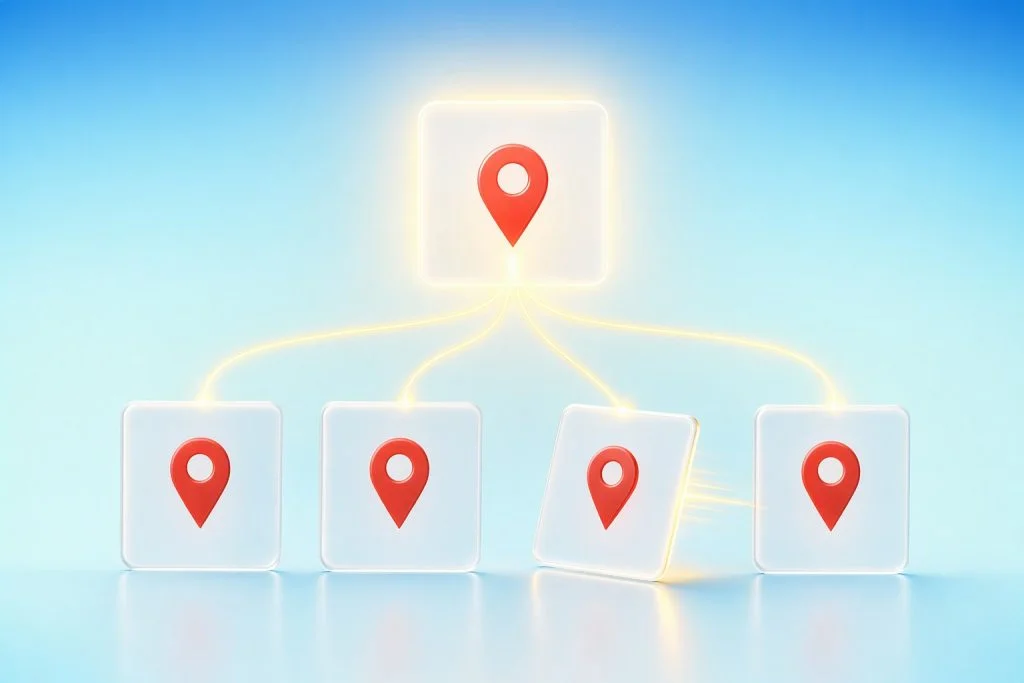
Google Business Profile is the foundation, but it is not the only place your business facts need to be accurate. AI tools pull from multiple sources, and inconsistencies across listings can dilute your visibility or cause the wrong information to surface. The core work is making sure your business name, address or service area, and phone number are identical everywhere they appear.
Bing Places for Business
Bing Places for Business is the primary way to manage your listing on Bing Maps and Bing search results. The service is free. Search for your business on Bing and claim the existing listing if one exists, or create a new listing if it does not. Verify your listing via phone, mail, email, or text, depending on what options are available to you. If you find duplicate listings, report them.
Bing uses many internal and external data sources, and Bing Places is one of the primary sources. However, Microsoft notes that if your Bing Places data has not been updated in more than six months, fresher data from other sources may take priority. This means you need to keep your Bing listing current, not just set it and forget it. Update your hours, phone number, services, and photos at least as often as you update your Google Business Profile.
OpenAI's help page on ChatGPT search lists Microsoft's privacy statement among its search provider privacy policies, which suggests that Microsoft is one of the partners ChatGPT search works with. We cannot say definitively that ChatGPT uses Bing Places directly, but keeping your Bing listing accurate is reasonable hygiene for any local business.
Apple Business
Apple Business lets customers find your brand in Maps, Apple Wallet, Siri, and more. To set up Apple Business, you create a brand and add locations. The brand requires a country or region, a primary category, and a website with HTTPS, or a Facebook, Instagram, or TikTok page if you do not have a website. Brand names and logos are reviewed by Apple and can take up to five business days to approve.
Each location requires an address, pin placement on the map, a display name, a primary category, a status such as Open or Opening Soon, a phone number, optional website, and hours. Drag the map pin to the correct building. If your pin is on the wrong side of the street or in the parking lot, customers will get confused. If a location is already managed by another organization, you can request a transfer.
Apple allows customers to report issues, such as a business showing as open when it is actually closed. Apple reviews these reports and may edit your name, status, or hours, then email you to review and accept the changes. Check your Apple Business account regularly and respond to any admin emails from Apple.
Core Directories and Review Sites
Beyond Google, Bing, and Apple, your business should be listed accurately on the core directories and review sites relevant to your industry. For most local service businesses, this includes Yelp, Facebook, Angi (formerly Angie's List), HomeAdvisor, Thumbtack, and industry-specific directories such as the Better Business Bureau, local chamber of commerce, or trade association directories.
Claim your listing on each platform, verify it, and fill out the profile completely. Use the same business name, address, phone number, website, and hours on every platform. If your Google Business Profile says "Brandon Plumbing," do not use "Brandon Plumbing LLC" on Yelp and "Brandon Plumbing Services" on Facebook. Pick one name and use it everywhere.
The Business Fact Sheet
Create a single source of truth for your business facts. This can be a document, a spreadsheet, or a note in your CRM. It should include:
- Legal business name
- Doing-business-as name if different
- Street address or service area
- Mailing address if different
- Primary phone number
- Website URL
- Primary category
- Secondary categories
- Regular hours for each day of the week
- Special hours for holidays
- Services list
- Business description
- Social media profiles
- Attributes such as parking, accessibility, appointment requirements
Every time you update a listing, check the fact sheet first. Every time you change your hours or add a service, update the fact sheet, then update every listing. This simple discipline prevents inconsistencies.
Finding and Fixing Inconsistencies
Search for your business name on Google, Bing, and in the major directories. Look for duplicate listings, old addresses, disconnected phone numbers, and outdated hours. If you find a duplicate, use that platform's process to report or merge the duplicate. If you find an old listing on a directory you do not control, contact the directory and request an update or removal.
Inconsistencies confuse customers and dilute your visibility. If one listing says you are open until six and another says five, a customer might show up at five-thirty and find you closed. If one listing has an old phone number, a customer might call it, get no answer, and move on to the next business. Fix every inconsistency you find, and check quarterly to catch new ones.
Your Website as the Local Source of Truth
Your website is the one place you control completely, and it should be the definitive source of information about your business. AI tools crawl websites, and a well-structured site with clear, accurate local information will support your visibility in AI answers.
Location Pages
If you have a physical location that customers visit, create a dedicated location page. If you have multiple locations, create one page per location. Each location page should include:
- The full street address
- A map embed
- Phone number
- Hours
- Parking and accessibility information
- Photos of the location
- A description of what customers can expect when they visit
If you are a service-area business with no customer-facing location, create a page that describes your service area and headquarters. Do not invent a fake address. Describe the cities, neighborhoods, or counties you serve, and explain how customers can reach you.
Service Pages
Create a page for each major service you offer. A plumbing company might have pages for drain cleaning, water heater installation, leak repair, and emergency plumbing. Each page should answer the questions a customer is likely to ask:
- What the service includes
- Where you provide the service
- When you are available, including emergency or after-hours availability
- Your pricing approach, without inventing specific prices unless you actually publish them
- Licensing and insurance, stated only if true
- What to expect during the appointment
- Frequently asked questions based on real customer questions
Write these pages in plain language, as if you are talking to a customer on the phone. Avoid jargon and marketing fluff. If a customer asks "Do you fix tankless water heaters?" and your water heater page says "Yes, we install and repair tankless, tank, gas, and electric water heaters," you have answered the question.
Service-Area Pages
If you serve multiple cities or neighborhoods, you may be tempted to create a page for each one. This can work if each page is genuinely useful and distinct. A page titled "Plumbing Services in Brandon" that describes your service area, includes local information such as common plumbing issues in older Brandon homes, lists your response time in Brandon, and includes customer testimonials from Brandon is useful. A page that is identical to ten other city pages except for the city name is a doorway page and will not help you.
If you cannot write a unique, useful page for a city, do not create the page. Instead, list the cities you serve on your main service pages or your about page, and let the rest of your site content do the work.
NAP in the Footer and Contact Page
Put your business name, address or service area, and phone number in the footer of every page on your site. Put the same information, along with your hours and a contact form, on a dedicated contact page. Make sure the NAP matches your Google Business Profile, Bing Places, and Apple Business listings exactly.
Crawlers and Structured Data
Check that your robots.txt file and your site's security settings do not block search engine crawlers. Specifically, make sure OAI-SearchBot is not blocked if you want to be eligible for ChatGPT search results. If search crawlers are blocked, your pages may not be eligible to appear in those tools' search results. If you have custom security rules or a firewall, verify that OpenAI's published searchbot IP addresses are allowed.
Schema markup is a separate topic and a reasonable supporting step once your facts are in order. If you have not yet implemented LocalBusiness schema on your location and service pages, it is worth considering after you have the rest of your local facts in order.
Answering the Questions People Actually Ask AI Tools
To show up in AI answers, you need to know what questions people are asking. Build a list of local prompts that someone might use to find your business, then check what the AI tools say, and fix the facts at the source if the answers are wrong or incomplete.
Building a Local Prompt List
Start with the core service and location combinations. For a plumbing company in Brandon, the list might include:
- best plumber in Brandon
- emergency plumber near me
- plumber open now
- water heater repair Brandon
- drain cleaning service near me
- licensed plumber in Brandon
- plumber open Saturday
- affordable plumber Brandon
- plumber that takes insurance (if applicable)
- Spanish-speaking plumber near me (if applicable)
Add constraints that matter to your customers: open now, emergency, weekend, price range, insurance accepted, language spoken, specific services, specific neighborhoods. If you serve multiple cities, add prompts for each city. If you offer a service that is uncommon or specialized, add prompts for that service.
Checking What AI Tools Say
Go through your prompt list and ask each question in ChatGPT, Perplexity, and Gemini. Use a device or browser that reflects your actual location, or specify the location in the prompt. Take notes on whether your business appears, what information is shown, whether the facts are correct, and what other businesses are mentioned.
If your business does not appear, check whether the facts at the source are complete and accurate. If the AI tool shows the wrong phone number, find where that number is listed and fix it. If the tool says you are closed when you are open, check your hours on Google, Bing, Apple, and your website. If the tool does not mention a service you offer, make sure that service is listed on your profiles and described on your website.
Full citation tracking is its own routine, and the short version is: check the AI tools regularly, document what they say, and fix the facts at the source when something is wrong.
Multi-Location and Practitioner Basics
If you operate multiple locations, each real location with its own address and staff should have its own Google Business Profile, Bing Places listing, and Apple Business location. All locations should use the same name unless the real-world name consistently varies. Use consistent categories across all locations.
For businesses with individual practitioners, such as dental practices, law offices, or medical practices, Google allows practitioner profiles in addition to the business profile. A public-facing practitioner who can be contacted at the verified location during stated hours may have their own profile. Support staff should not. One profile per practitioner, not one per specialization. When several practitioners work at one location, the organization has its own separate profile and practitioner profiles use only the practitioner's name. A solo practitioner at a branded location shares one profile named in the format brand, colon, practitioner name.
If you have a mobile business with no fixed location, such as a cleaning service or a mobile mechanic, you can still create a Google Business Profile with a hidden address and a service area. The same rules apply: accurate facts, complete information, genuine reviews.
Common Mistakes
These are common mistakes that can get profiles restricted or leave AI tools with wrong facts.
Keyword-Stuffed Names
Do not add keywords, taglines, or service descriptions to your business name. "Brandon Plumbing" is fine. "Brandon Plumbing | 24/7 Emergency | Licensed & Insured" could get the profile suspended. Use your real business name and nothing else.
Virtual Office Addresses
P.O. boxes and mailboxes at remote locations are not acceptable. A rented virtual office you do not operate from is not eligible. A co-working office is allowed only with clear signage, staffed during business hours, and receiving customers there. If you work from home and customers do not visit, hide your address and use a service area.
Call-Tracking or Redirecting Numbers
Provide a number that connects to your individual business location. Use a local number instead of a central call center helpline when possible. The number must be under the business's direct control. Do not use numbers or URLs that redirect or refer users to landing pages or numbers other than the actual business's. Check the guidelines before putting a tracking number on the profile, and consider using call-tracking numbers on your website and ads while keeping your real business number on your profile.
Stale Holiday Hours
Set special hours ahead of holidays and double-check the dates. Stale special hours confuse customers and make your profile look neglected.
Duplicate Listings
Search for your business on Google, Bing, and Apple regularly, and look for duplicate listings. If you find one, use that platform's process to report or merge the duplicate. Duplicates split your reviews and confuse customers.
Incentivized Reviews
Offering incentives like free or discounted goods or services in exchange for posting, changing, or removing reviews is fake and misleading content and strictly prohibited. Ask for reviews, make it easy, but do not pay for them. This can lead to removed reviews and restrictions on your profile.
Thin City-Swap Pages
Do not create dozens of city pages that are identical except for the city name. If you cannot write a unique, useful page for a city, do not create the page. List the cities you serve on your main pages instead.
Blocking Crawlers
Check your robots.txt file and security settings to make sure you are not blocking search engine crawlers, including OAI-SearchBot. If search crawlers are blocked, your pages may not be eligible to appear in those tools' search results.
A Practical Local Visibility Checklist
Here is a suggested routine for keeping your local facts accurate and consistent. Treat these as suggestions, not rigid requirements, and adjust the frequency based on how often your business information changes.
Weekly
- Check your Google Business Profile for new reviews and reply to them.
- Check your Bing Places and Apple Business accounts for customer reports or admin messages.
- Verify that your phone number is working and calls are being answered or returned promptly.
Monthly
- Review your Google Business Profile for accuracy: hours, phone, services, photos.
- Update your Bing Places and Apple Business listings with any changes from the past month.
- Search for your business on Google, Bing, and Apple Maps and check for duplicate listings or outdated information.
- Run a sample of your local prompts through ChatGPT, Perplexity, and Gemini and note what they say.
- Check your website contact page and footer to make sure NAP is still accurate.
Quarterly
- Audit your business fact sheet and update any changes.
- Search for your business name on Google and Bing and look for mentions on directories, review sites, and blogs. Check for inconsistencies and fix them.
- Review your location and service pages on your website and update them with new services, photos, or FAQs based on customer questions from the past quarter.
- Check that your website is not blocking crawlers, including OAI-SearchBot.
- Run your full local prompt list through the major AI tools and document any gaps or errors.
- Review your review request routine and adjust timing or messaging if response rates are low.
Implementation Help
SumoGrowth Labs is the implementation and consulting team that sets up these systems for local service businesses. We start with a profile audit across Google, Bing, Apple, and the core directories relevant to your industry. We build your business fact sheet, clean up duplicate and inconsistent listings, set up a review request routine in your CRM, and write or update your location and service pages to answer the questions your customers actually ask. If you need an AI receptionist and missed-call follow-up running from one system, we set that up as part of the CRM implementation. The goal is to make your business facts complete, accurate, and consistent everywhere a local answer might be built, so you show up when someone asks an AI tool for a business like yours.
by Darius Gaynor